PromptDrip
PromptDrip 8K AI PROMPT VAULT
PROMPT DETAIL

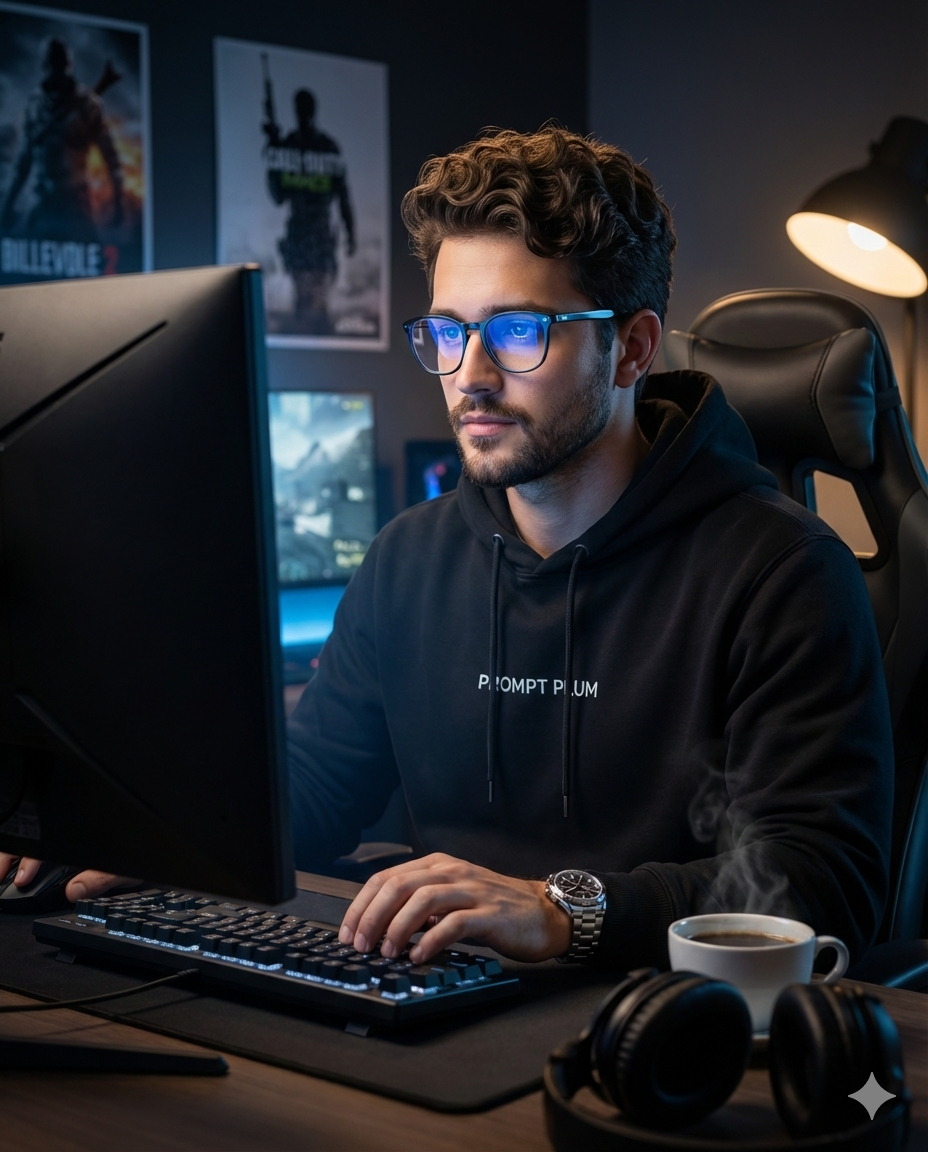
Immersive Setup Coding Portrait

Shared by @PromptDrip β€’ Sep 21, 2026

PROMPT

Optimized for Gemini

Transform the uploaded photo into an ultra-realistic, hyper-detailed cinematic photograph with DSLR quality, rendered in 32K resolution, with a 4:5 vertical aspect ratio. πŸ”’ Identity & Face Preservation (Very Important) The subject’s face must remain 100% identical to the reference image. Strictly preserve: Facial structure Bone geometry & proportions Skin tone & natural texture Eye shape, nose, jawline Hairline, beard pattern (if present) Expression & overall identity No beautification, reshaping, stylization, smoothing, or identity drift. πŸ‘€ Subject A handsome young man fully immersed in a gaming session. His expression is focused, calm, and intense, with natural skin texture, visible pores, and realistic facial detail. He is seated upright, typing on a keyboard and looking directly at the glowing screen. πŸ’‘ Lighting Primary light: the gaming monitor in front of him, casting a cool blue glow on his face and glasses Secondary light: a warm desk lamp from the side, creating soft rim light and depth Cinematic contrast with realistic shadows and subtle highlights πŸ‘• Wardrobe & Accessories Black hoodie with β€œPROMPT PLUM” printed clearly on the chest Luxury metal wristwatch Modern blue-light glasses with subtle screen reflections πŸ–₯ Environment A dimly lit, premium gaming workspace: Large gaming monitor in front Gaming chair Posters of popular video games on the wall behind him A cup of hot coffee on the desk with visible steam Headphones resting on the table The mood should feel immersive, modern, and cinematic. 🎬 Final Style Hyper-realistic textures (skin, fabric, glass, metal) Cinematic depth of field Editorial photography look Clean high contrast Natural lighting transitions Sharp focus with soft background blur Fully respect the original face and identity while transforming the scene into a cinematic, ultra-realistic gaming portrait.

ChatGPT Gemini

How to Use This Prompt

Quick 3-step guide to generate or edit your AI photo

1

Copy Prompt

Click the orange Copy button above to copy the prompt text.

2

Open AI Tool

Open Gemini or ChatGPT using the 1-click buttons.

3

Paste & Generate

Paste the prompt, attach your photo (optional), and hit send to get your 8K photo!

πŸ’‘ Pro Tip: Attach your reference portrait photo with the prompt in Gemini or ChatGPT to generate this exact aesthetic with your own face!

Community Rating

4.7
29 Ratings
5
23
4
4
3
1
2
1
1
0

Rate this prompt

Model or Tool

Gemini

You might also like

8K AI Prompt copied to clipboard!