PromptDrip
PromptDrip 8K AI PROMPT VAULT
PROMPT DETAIL

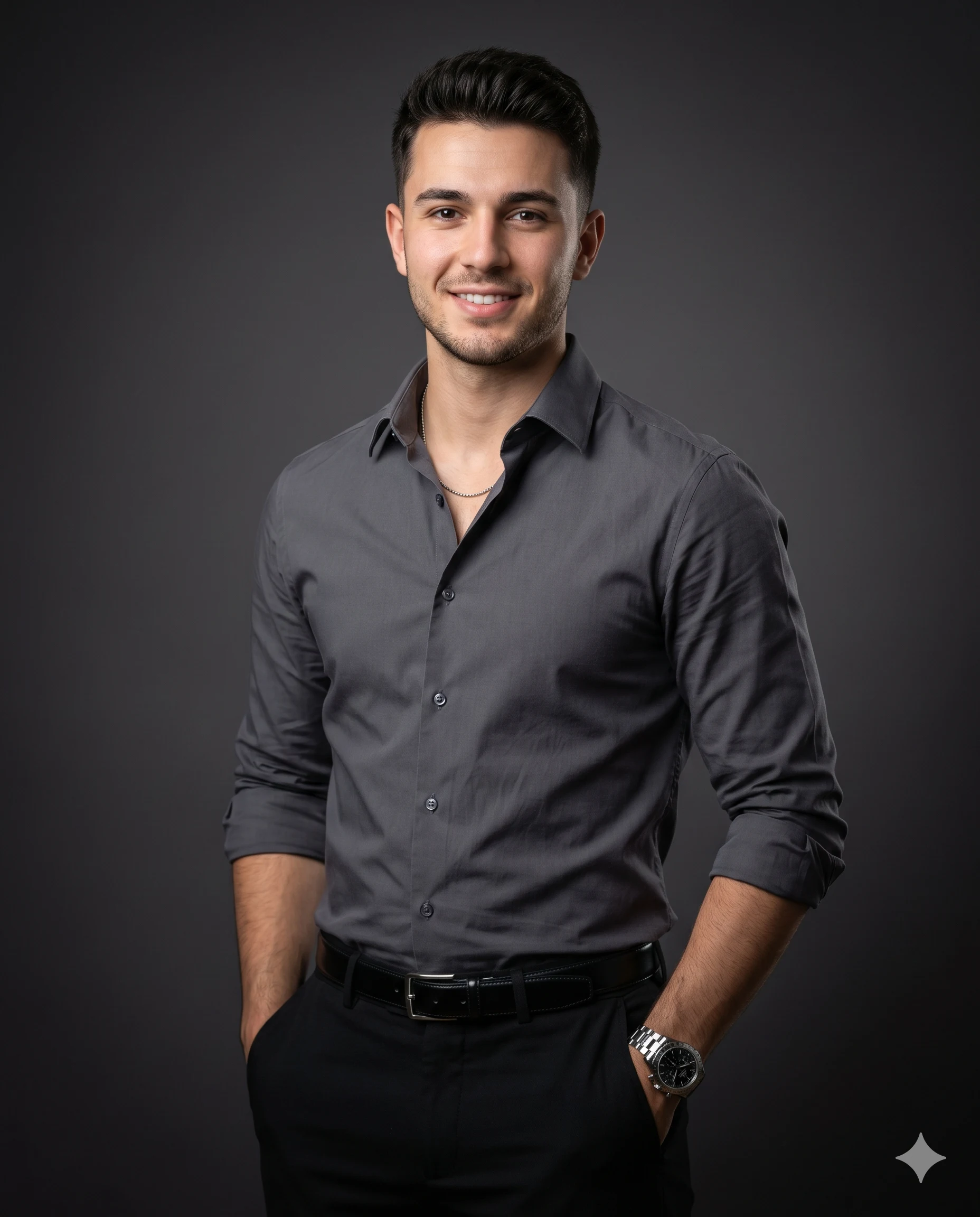
Sharp and Steady Corporate Lifestyle Portrait

Shared by @PromptDrip • Sep 21, 2026

PROMPT

Optimized for Gemini

Create a hyper-realistic, ultra-detailed 8K medium (waist-up) portrait of a man with a refined “quiet luxury” aesthetic. Use the uploaded image strictly ONLY for face and identity reference. Composition & Framing: Medium portrait (waist-up), subject centered(body slightly tilted) with balanced negative space and clean headroom. Polished editorial look. Pose & Expression: He stands in a relaxed, confident stance, his body slightly tilted, making direct eye contact with the camera and showing a positive, confident expression. Both hands are casually placed inside his trouser pocket. Outfit & Styling: He wears a perfectly tailored premium charcoal-grey button-down shirt (wrinkle-free, no creases), sleeves rolled up to forearms, top buttons open revealing a thin silver chain, paired with tailored black trousers and a premium glossy black belt. Accessories include a luxury stainless steel chronograph watch on his left wrist. Background: A seamless, smooth dark grey studio background with a subtle vignette effect, softly darkening toward the edges to naturally draw focus to the subject. Clean, gradient falloff with no texture or distractions. Lighting: Cinematic professional studio lighting — soft key light with gentle Rembrandt-style facial modeling, complemented by a subtle rim light outlining the hair and shoulders. Soft front fill ensures no harsh shadows or underexposure on the face or outfit. Natural catchlights in the eyes. No warm lighting. Camera & Technical Details: Shot on a professional DSLR with an 85mm portrait lens, aperture f/1.8, ISO 100, shutter speed 1/200. Shallow depth of field with sharp subject focus and smooth background separation. Rendering Style: Ultra-realistic, high-end editorial fashion photography, extremely sharp details, natural skin texture, premium color grading, cinematic finish. Aspect Ratio: 4:5 (vertical)

ChatGPT Gemini

How to Use This Prompt

Quick 3-step guide to generate or edit your AI photo

1

Copy Prompt

Click the orange Copy button above to copy the prompt text.

2

Open AI Tool

Open Gemini or ChatGPT using the 1-click buttons.

3

Paste & Generate

Paste the prompt, attach your photo (optional), and hit send to get your 8K photo!

💡 Pro Tip: Attach your reference portrait photo with the prompt in Gemini or ChatGPT to generate this exact aesthetic with your own face!

Community Rating

4.6
28 Ratings
5
21
4
5
3
1
2
1
1
0

Rate this prompt

Model or Tool

Gemini

You might also like

8K AI Prompt copied to clipboard!