PromptDrip
PromptDrip 8K AI PROMPT VAULT
PROMPT DETAIL

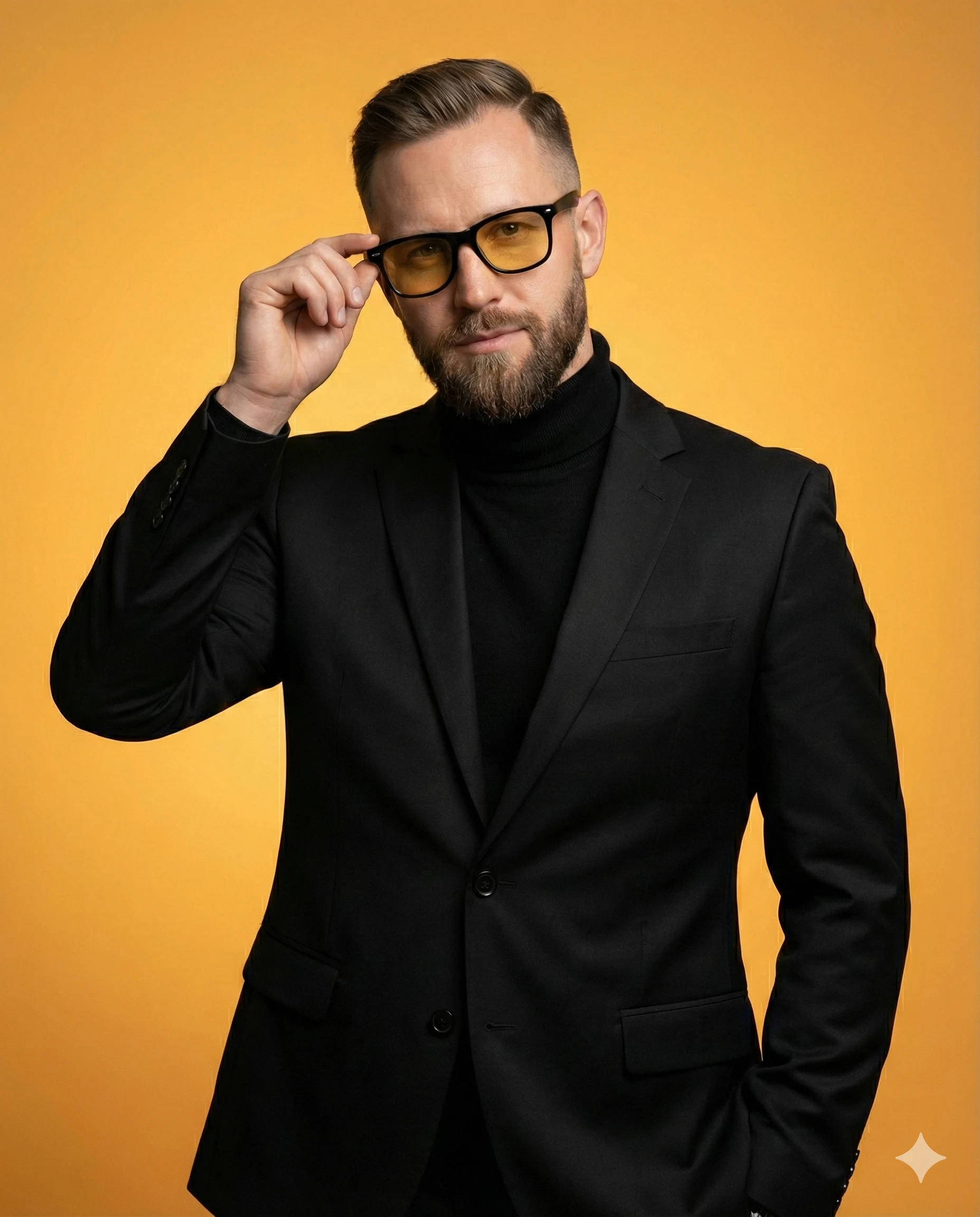
The Amber Lens Business Portrait

Shared by @PromptDrip • Sep 21, 2026

PROMPT

Optimized for Gemini

Generate a high-quality cinematic studio portrait of a well-dressed man. The subject’s face, hairstyle, beard, facial structure, and identity must closely match the provided reference image, preserving natural proportions, skin texture, and likeness accurately. Framing & Composition 4:5 vertical portrait, medium shot 2/3(mid-torso to head) framing. The subject is centered and fully inside the frame with safe margins. Leave approximately 8–12% empty space on both the left and right sides so the arms and shoulders are not cropped. Maintain comfortable headroom above the subject; do not cut off hair, elbows, shoulders, or jacket edges. Composition should feel balanced and editorial. Pose & Styling The subject wears a tailored black suit jacket over a fitted black turtleneck. He wears black-framed glasses with warm yellow-tinted lenses. His right hand is raised naturally, gently adjusting the glasses near the temple, while the other arm rests in pocket. Facial expression is calm, confident, and composed, with direct eye contact toward the camera. Background & Color Clean, solid yellow-orange gradient background matching the warmth of the lenses(no fade color). The background is smooth, minimal, and seamless with no texture, gradients, or additional elements. Lighting Soft, even studio lighting with subtle facial shaping. Controlled highlights on the glasses and fabric, natural shadow transitions, and no harsh reflections or blown highlights. Lighting should enhance depth while maintaining a clean commercial studio look. Technical Details 1:1 aspect ratio, 4K resolution, ultra-detailed, photorealistic rendering, sharp focus, natural skin texture, cinematic color grading, HDR quality, identity consistency strictly preserved. Negative Constraints No cropping on left or right edges, no cut-off shoulders or elbows, no extra people, no text, no logos, no background objects, no vignette, no distortion, no exaggerated facial features.

ChatGPT Gemini

How to Use This Prompt

Quick 3-step guide to generate or edit your AI photo

1

Copy Prompt

Click the orange Copy button above to copy the prompt text.

2

Open AI Tool

Open Gemini or ChatGPT using the 1-click buttons.

3

Paste & Generate

Paste the prompt, attach your photo (optional), and hit send to get your 8K photo!

💡 Pro Tip: Attach your reference portrait photo with the prompt in Gemini or ChatGPT to generate this exact aesthetic with your own face!

Community Rating

4.7
26 Ratings
5
20
4
4
3
1
2
1
1
0

Rate this prompt

Model or Tool

Gemini

You might also like

8K AI Prompt copied to clipboard!