Let me be honest with you. When I first started using AI image tools, I was typing things like "a beautiful woman in a garden" and wondering why the output looked so robotic and flat. It took me weeks of trial and error to figure out that the image is only as good as the prompt you write. The tool is not the problem. The instructions are.
This guide is everything I wish someone had told me when I was starting out. Whether you are using Midjourney, Google Gemini, ChatGPT, or Stable Diffusion — the same core principles apply. Let's go through them one by one.
Why Your AI Images Look Generic (And What Is Actually Missing)
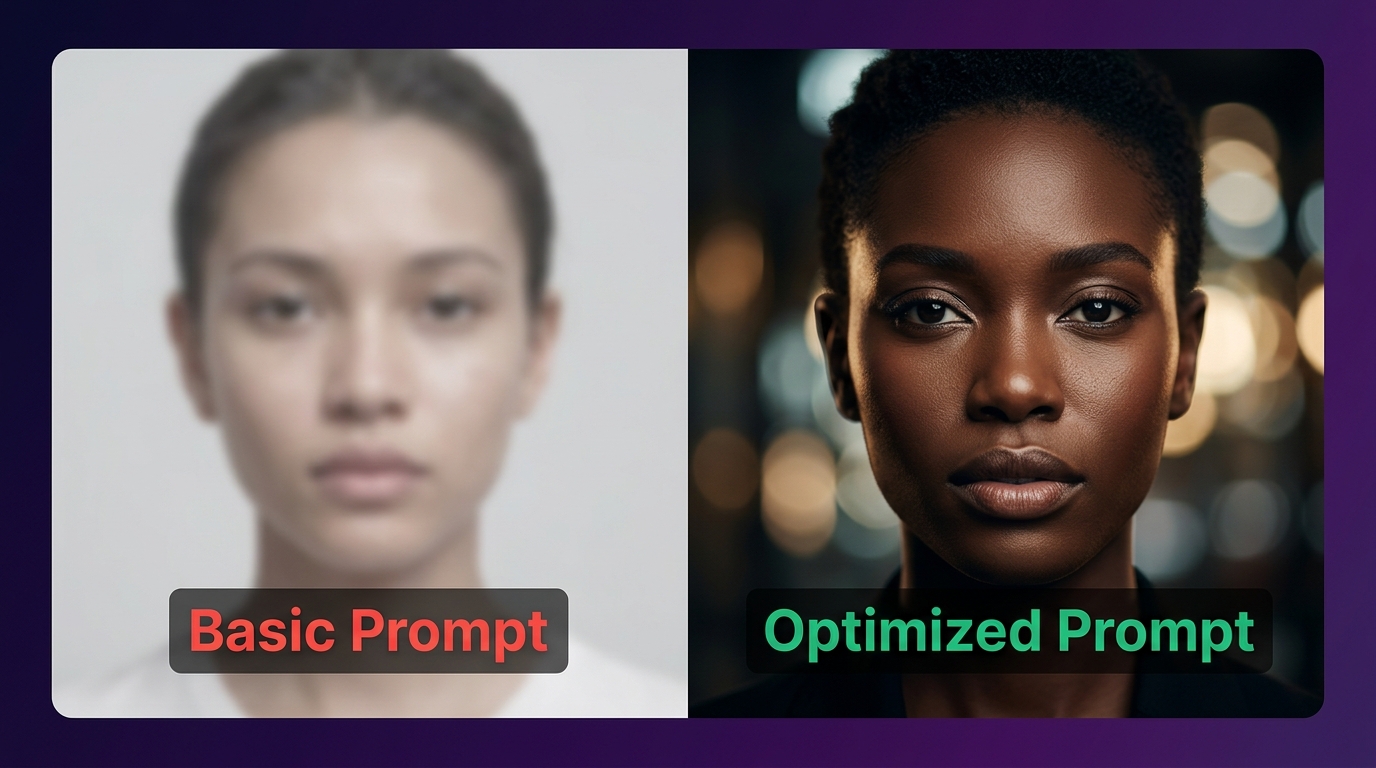
Here is the thing most beginners do not realize: AI image models are not mind readers. They do their best with what you give them. When your prompt is vague, the model fills in the gaps using whatever it has seen most in training data — which is usually average, stock-photo style imagery.
The difference between a boring AI image and a jaw-dropping one almost always comes down to specificity. The more specific and structured your prompt, the more control you have over the final result.
Think of it this way: a prompt is like a brief you hand to a photographer before a shoot. A bad brief says "take a nice photo." A great brief says "shoot a close-up portrait of a 25-year-old woman with a natural sun-kissed glow, using golden hour backlight at 5pm, 85mm portrait lens, shallow depth of field, warm color grade." Night and day difference.
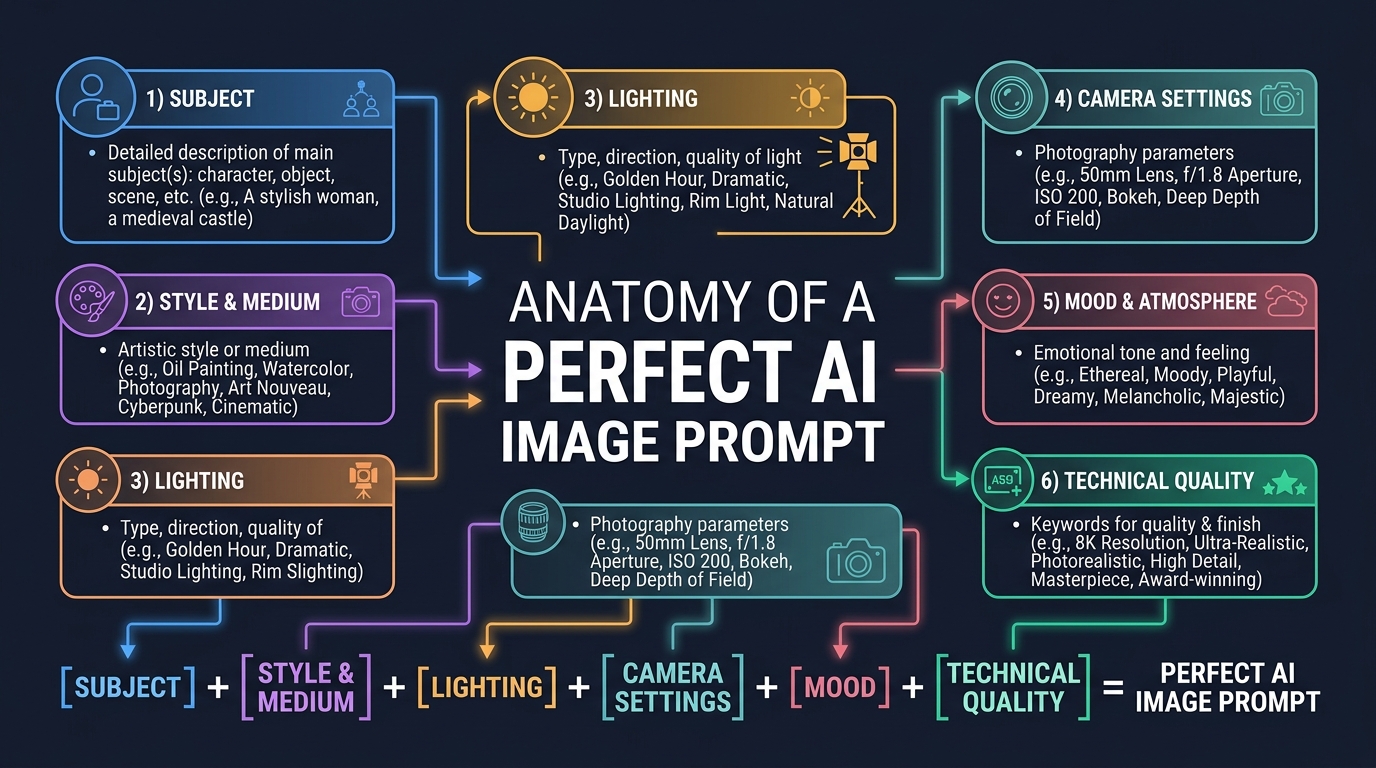
The 6 Building Blocks of a Powerful AI Image Prompt
A well-structured prompt has six core parts. You do not always need all six for every image, but knowing each one lets you decide when to use them and when to leave them out.
1. Subject — Who or What Is in the Image
Start with what you actually want in the frame. Be specific about age, gender, appearance, clothing, pose, and expression. The more detail you add here, the less the AI has to "guess" for you.
| Vague Subject | Specific Subject (Better) |
|---|---|
| a woman | a 28-year-old South Asian woman with sharp cheekbones, wearing a deep red silk saree, standing upright, confident expression |
| a city | a rain-soaked Tokyo alley at midnight, neon signs reflecting off wet cobblestones, a lone pedestrian with an umbrella |
| a lion | a massive male lion resting on a golden savanna rock, mane catching the late afternoon breeze, eyes closed |
| a car | a matte black 1969 Ford Mustang parked on an empty desert highway at dusk, dust settling behind it |
2. Style and Medium — What Should It Look Like Artistically
Without specifying a style, the AI defaults to a generic digital painting or stock photo look. Telling it the medium or artistic style completely changes the visual outcome. Some of the most popular style keywords include:
- Photography: editorial photography, fashion photography, street photography, documentary style
- Film: cinematic, film grain, anamorphic lens flare, Kodak Portra 400 look, expired film stock
- Art Mediums: oil painting, charcoal sketch, watercolor wash, linocut, digital illustration
- Design Styles: Art Deco, brutalist, minimalist, maximalist, Japanese Ukiyo-e
- Genre Styles: cyberpunk, solarpunk, cottagecore, dark academia, vaporwave
💡 Pro Tip
You can mix two styles to create something unique. "editorial photography meets Art Nouveau poster design" or "documentary street photo with a Wes Anderson color palette" often produces genuinely original results.
3. Lighting — The Single Most Impactful Variable
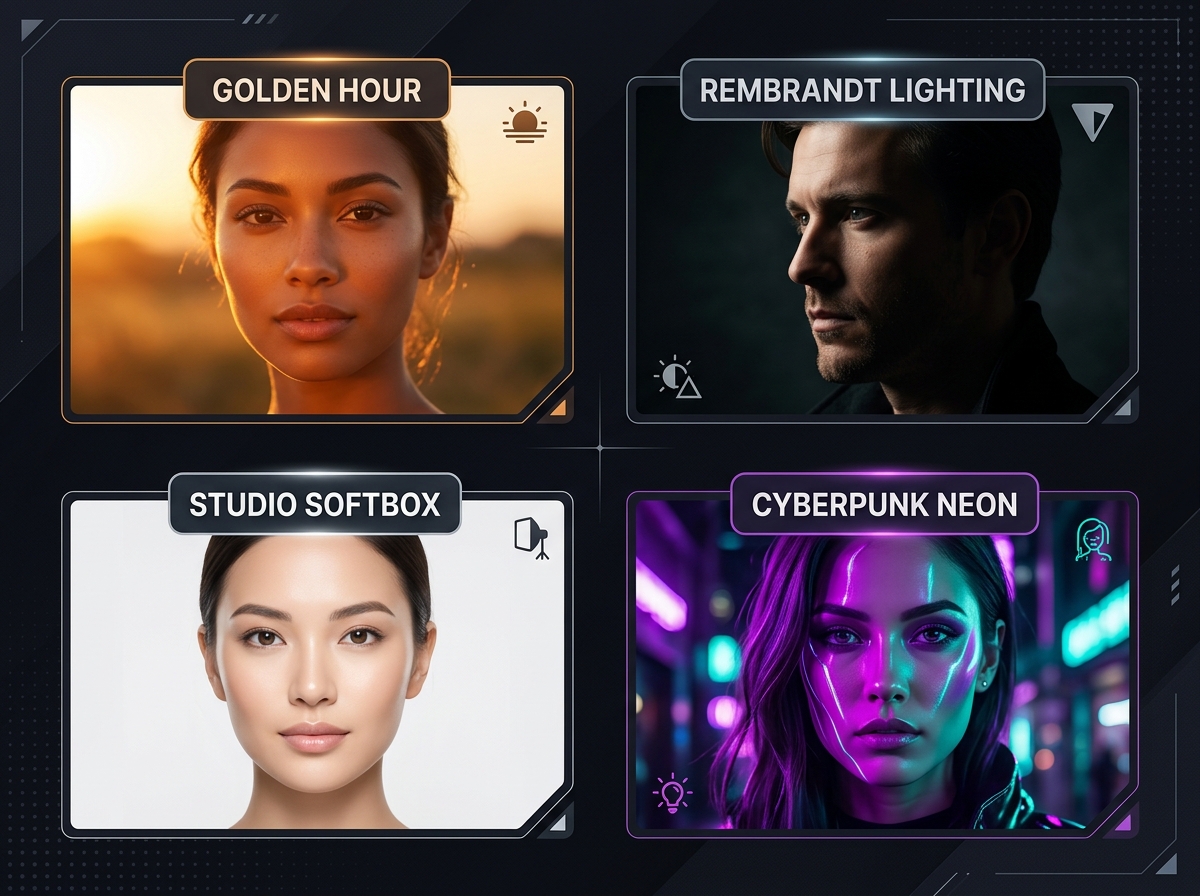
If I had to pick just one thing that separates average AI images from stunning ones, it would be lighting. Lighting defines mood, depth, realism, and emotion more than almost any other element. Here is a breakdown of the most effective lighting keywords:
| Lighting Type | Effect It Creates | Best Used For |
|---|---|---|
| Golden Hour | Warm, glowing, romantic, soft shadows | Portraits, lifestyle, outdoor shoots |
| Rembrandt Lighting | Dramatic triangle shadow on cheek, painterly depth | Dramatic portraits, character art |
| Studio Softbox | Clean, even, professional, minimal shadows | Fashion, beauty, product photography |
| Cyberpunk Neon | Purple and teal neon glow, futuristic, gritty | Sci-fi, urban night scenes, character art |
| Chiaroscuro | High contrast, deep darks, sharp highlights, old master look | Cinematic stills, moody portraits |
| Backlit / Rim Lighting | Glowing edge on subject, separates from background | Hair shots, silhouettes, product reveals |
| Overcast Natural Light | Soft, diffused, no harsh shadows, documentary feel | Lifestyle, travel, editorial photography |
4. Camera and Lens Settings — Control the Photography Feel
This section is often completely skipped by beginners, and it is a massive missed opportunity. Camera lens and settings keywords tell the AI how the "photographer" would have shot this scene. These keywords have a very real effect on the final image composition and depth.
Here are the most useful camera-related keywords you should know:
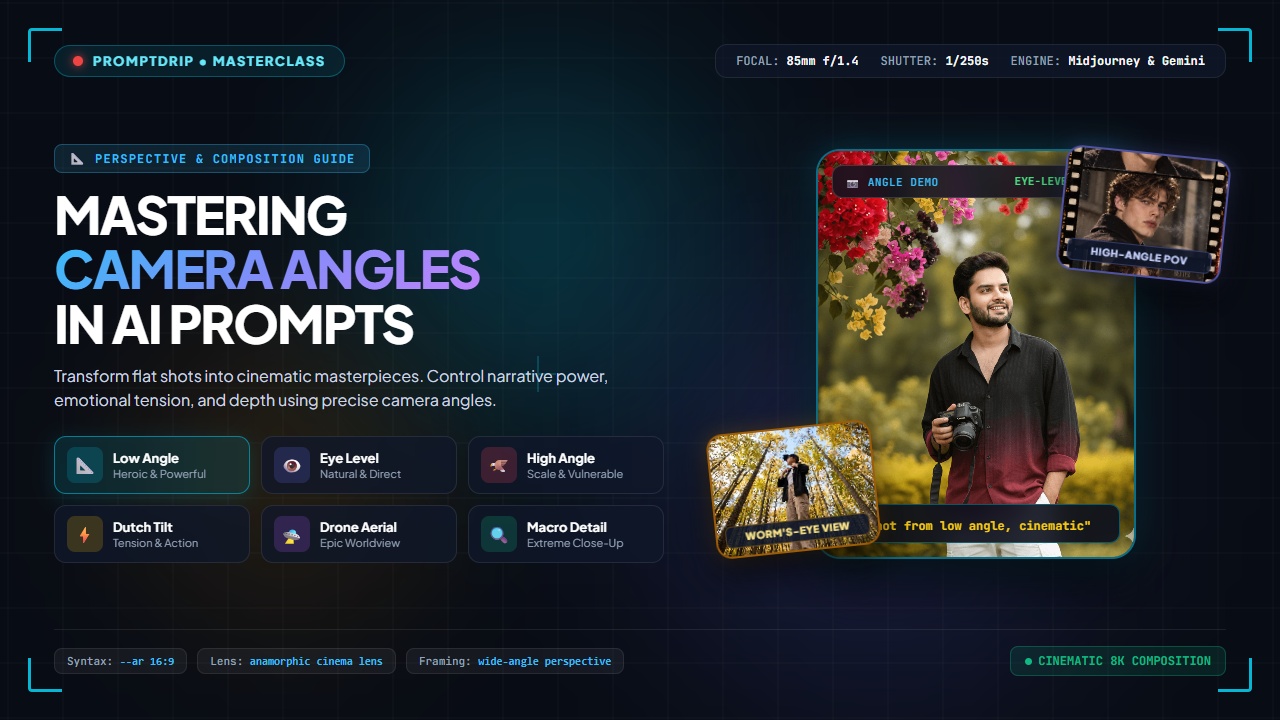
- Lens focal length: "35mm wide angle" (environmental, slight distortion), "50mm standard" (natural, true-to-life), "85mm portrait lens" (flattering, compressed background), "200mm telephoto" (compressed layers, dramatic)
- Aperture / Depth of Field: "f/1.4 shallow depth of field" (blurry background, subject isolation), "f/8 deep focus" (everything sharp)
- Film stock: "shot on Kodak Portra 800" (warm, slightly grainy, film look), "Fujifilm Velvia" (vivid, saturated colors), "Ilford HP5 black and white" (classic BW grain)
- Camera body: "shot on Hasselblad medium format" (extreme sharpness), "Sony A7R" (clean and modern), "vintage analog camera" (warm and lo-fi)
📷 Real Prompt Example Using Camera Keywords
"Close-up portrait of an Indian man, 30s, wearing a white kurta, soft smile, outdoor monsoon setting — shot on 85mm lens, f/1.8 aperture, shallow depth of field, rain-blurred bokeh background, Kodak Portra 800 film stock, golden afternoon light, editorial photography"
5. Mood and Atmosphere — The Emotional Layer
Once you have your subject, style, lighting, and camera sorted — mood words are what push the image from technically correct to emotionally resonant. Mood keywords change the color grading, facial expressions, composition choices, and overall atmosphere the AI generates.
| Mood Keyword | What It Does to the Image |
|---|---|
| Ethereal | Dreamy, soft glowing halos, otherworldly lightness |
| Melancholic | Desaturated blue-grey tones, downward gaze, empty spaces |
| Joyful / Playful | Bright saturated colors, laughter, movement, open spaces |
| Moody / Brooding | Dark shadows, low-key lighting, strong contrast, quiet tension |
| Serene / Peaceful | Soft natural light, open space, gentle colors, calm expressions |
| Epic / Powerful | Wide dramatic angles, dynamic lighting, hero compositions, bold tones |
6. Technical Quality Keywords — The Final Polish
These are the keywords you add at the end of your prompt to signal to the AI the overall quality level and rendering style you expect. Think of them as the final "quality pass" instruction.
The most effective ones include:
- Resolution: 8K, 4K UHD, ultra high resolution, super detailed
- Realism: photorealistic, hyperrealistic, ultra realistic, lifelike
- Detail level: intricate details, highly detailed, fine textures, skin pore detail
- Award-level framing: award-winning photo, National Geographic style, Vogue editorial style
- Rendering engine: Octane Render, Unreal Engine 5 render, V-Ray (great for 3D-style images)
💡 A Note on Overusing Quality Keywords
More quality keywords is not always better. Stacking 10 quality tags can sometimes confuse the model and produce over-sharpened, over-processed results. Use 2–4 quality keywords intentionally, not as a shotgun blast.
Aspect Ratio: The Forgotten Variable
On tools like Midjourney and many others, the aspect ratio drastically changes how the image is composed. A 1:1 square prompt and a 16:9 cinematic prompt with the exact same text will feel like completely different photos.
| Aspect Ratio | Best Use Case |
|---|---|
| 1:1 | Social media posts, profile photos, Instagram |
| 4:5 | Portrait shots, Instagram portrait format |
| 9:16 | Mobile wallpapers, Instagram stories, Reels thumbnails |
| 16:9 | Cinematic stills, YouTube thumbnails, desktop wallpapers |
| 2:3 | Editorial magazine spreads, posters, book covers |
Negative Prompts: Telling the AI What NOT to Do
In tools like Stable Diffusion and Midjourney (with the --no flag), you can specify what you do not want in the image. This is called a negative prompt, and it is extremely useful for removing common AI artifacts.
The most common things to exclude:
- Deformed hands, extra fingers, mutated hands, bad anatomy
- Watermark, text, logo, signature, blurry, low quality
- Cartoon, illustration (if you want realism)
- Multiple faces, duplicate subjects, crowd
- Overexposed, underexposed, blown highlights
Even on tools like Gemini or ChatGPT that do not have a dedicated negative prompt field, you can write things like "no watermarks, no text overlays, no cartoonish style, no blurry areas" directly in your main prompt — and it usually works.
Putting It All Together: Full Prompt Examples
Let me show you how all six elements combine into a real, powerful prompt. Here are three complete examples across different use cases.
✅ Example 1: Fashion Portrait
"A 24-year-old Indian woman, confident expression, wearing a deep emerald green lehenga with gold embroidery, standing in a minimalist white studio — Rembrandt lighting with a warm fill light, 85mm portrait lens, f/1.6 shallow depth of field, shot on Hasselblad medium format — editorial Vogue fashion photography style, award-winning composition, 8K ultra detailed, photorealistic skin texture"
✅ Example 2: Cinematic Landscape
"A vast Himalayan valley at dawn, snow-capped peaks glowing in the first pink light of sunrise, a lone Buddhist monk standing on a stone bridge over a crystal river, mist rising from the water — wide angle 24mm lens, deep focus f/11, long exposure motion blur on water, cinematic anamorphic style, ethereal and serene mood, Kodak Vision3 film look, National Geographic style, 4K ultra resolution"
✅ Example 3: Sci-Fi Character
"A battle-worn female soldier with glowing blue cybernetic eye, wearing black and chrome futuristic armor, standing in a destroyed neon-lit city street at night — cyberpunk neon lighting (purple and teal), rain-soaked reflective ground, dramatic rim lighting from behind, 50mm lens slight film grain, dark and gritty mood, concept art by WETA Digital, Unreal Engine 5 render, hyperrealistic, 8K"
Quick-Reference Cheat Sheet
Here is a single table you can bookmark and refer to every time you sit down to write a prompt:
| Category | Top Keywords to Try |
|---|---|
| Subject | Age, gender, ethnicity, clothing, pose, expression, environment |
| Style | editorial, cinematic, oil painting, watercolor, concept art, cyberpunk, cottagecore |
| Lighting | golden hour, Rembrandt, studio softbox, chiaroscuro, neon, backlit, overcast |
| Camera | 85mm, 35mm, f/1.4, Kodak Portra, Hasselblad, film grain, shallow depth of field |
| Mood | ethereal, melancholic, joyful, moody, serene, epic, dramatic, whimsical |
| Quality | 8K, photorealistic, ultra detailed, award-winning, Vogue editorial, Octane Render |
Common Mistakes to Avoid
Even experienced users make these mistakes. Keep this list in mind:
- Too short: "a girl in a park" gives you nothing to work with. Add at least 3–4 of the six elements above.
- Contradicting yourself: "dark moody image with bright sunny colors" confuses the model. Pick one emotional direction and stick with it.
- Overloading quality tags: 8K, 16K, ultra HD, super sharp, hyper detailed, masterpiece — all at once — often produces overcooked, plasticky results. Pick your best 2–3.
- Ignoring aspect ratio: Portrait shots need a 2:3 or 9:16 ratio. Cinematic needs 16:9. Always specify this for the best composition.
- Vague style: "artistic style" means nothing. Name a specific medium, photographer, or art movement.
Final Thoughts
Writing good AI image prompts is honestly a skill — and like any skill, you get better the more you do it. The single best thing you can do is start experimenting with one section at a time. Change only the lighting keyword and regenerate. Then try different camera lenses. Then swap the mood. Within a few sessions, you will develop a strong intuition for what works.
The prompts that produce the most stunning results are the ones where the writer clearly visualized the image in their head first, then translated that vision into detailed, structured language. That is all prompt engineering really is — learning to describe what you see in your mind so clearly that the AI can see it too.
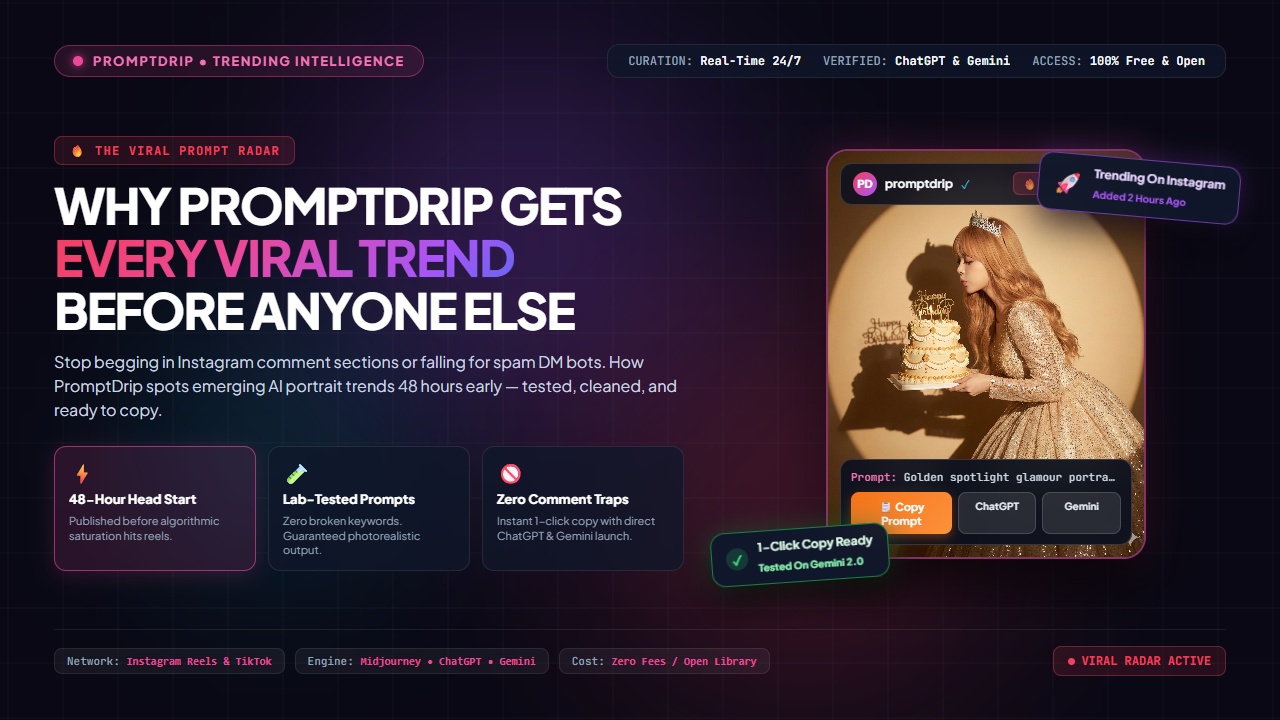
If you want to explore ready-made, expert-crafted prompts across categories like portrait photography, fashion, cinematic scenes, and more — browse the PromptDrip library. Every prompt there has been tested and refined for real results.
Also check out our in-depth guide on mastering 8K photorealistic AI portraits and the cinematic lighting handbook to take your prompts even further.